
Create a Static QR Code and Test It Before Printing
Encode a direct link, Wi-Fi or contact payload, export a QR code and check both the decoded content and a printed test.
Maintained by Fixora. Reviewed .
Choose static content deliberately
Fixora encodes content directly in a static QR code. It does not create a hosted redirect, track scans or let you edit a printed code’s payload later. Changing the encoded address requires a new code.
For a website, check the complete HTTPS address before generating. A link’s destination can change or become unavailable even though the QR image remains decodable. A static code is not a guarantee of a permanently working website.
Inspect a synthetic example
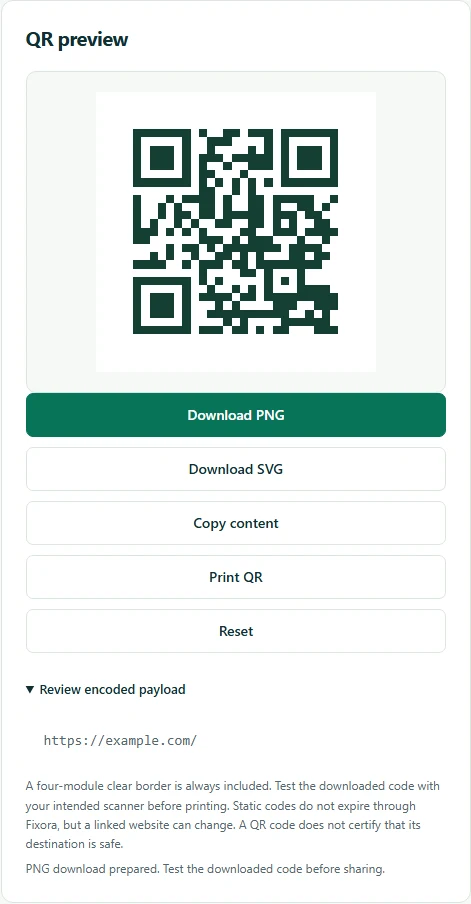
Choose Website URL and enter the example address below. The preview updates automatically; there is no Generate button. Open Review encoded payload and inspect the exact text before downloading PNG or SVG. This reserved example address demonstrates encoding, not a live resource you should print.
URL payload: https://example.com/
Expected decoded content: https://example.com/
Test the exported image and a printed sample
Scan the downloaded image with another device and check the decoded address before following it. Print a sample at the intended size, on the intended material, and test it under realistic light and viewing distance.
Keep the four-module clear border. Avoid cropping, stretching, decorative overlays or poor contrast. SVG can suit print workflows, but scanner support, printing quality and physical size still need a real test. Browser checks cannot prove physical-device scanning.
Protect Wi-Fi and contact information
A Wi-Fi QR code contains readable network information, including the password when supplied. Anyone with the code can decode it. Do not publish a private network password on a public sign.
Contact codes similarly share the details you encode. Review every field and use only information intended for the audience. Input is processed in the browser; avoid including real private payloads in screenshots or bug reports.
Try the verified example
These small files contain synthetic data. Download the inputs, follow the settings above, and compare your result with the expected output.
Tools for this task
Suggest a correction with a nonsensitive example.